Every third party, on the scope
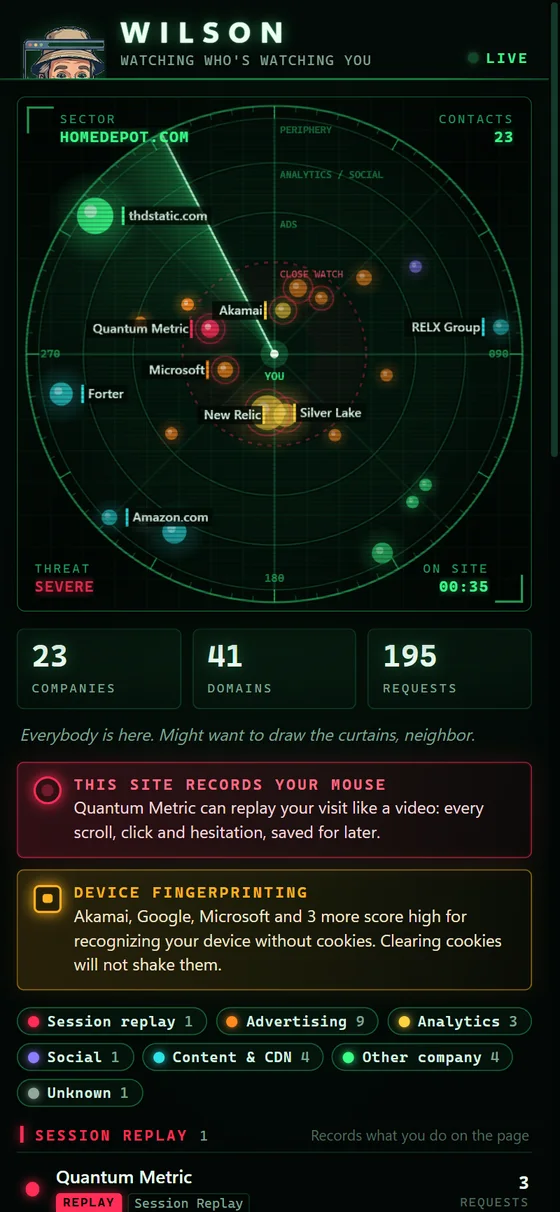
An animated radar sweep in Chrome's side panel. Each tracker and company the current page talks to shows up as a contact.
 Cobra Digital Group
 Wilson
Chrome Extension Coming Soon
Every page you open quietly phones a few friends. Wilson sits in Chrome's side panel and puts every one of them on a radar: who they are, what they do, and how often they check in.
Free. Built by Cobra Digital Group. Wilson watches the watchers and reports to nobody but you.
The readout
The page you're reading is rarely just the page you're reading. Ad networks, analytics firms and data brokers ride along on almost every site. Wilson puts names to them.
An animated radar sweep in Chrome's side panel. Each tracker and company the current page talks to shows up as a contact.
A live readout of the company behind each tracker, what category it falls in, and how many requests it has made from this page.
Session-replay scripts, the kind built to record clicks and scrolling for playback later, and companies known for fingerprinting, which can recognize your browser without cookies. Wilson calls them out so they can't hide in the crowd.
A number on Wilson's toolbar icon tells you how crowded a page is before you even open the panel.
About the name
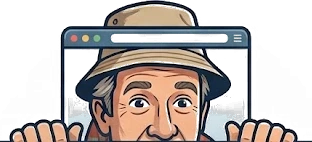
You've met this neighbor. You only ever see the top half of his face over the fence, and somehow he knows everything happening on the street. Wilson is that neighbor, except he's on your side of the fence, keeping an eye on everyone who's keeping an eye on you.
The fine print, in large print
To spot trackers, Wilson has to see the network requests pages make on every site. That's a big ask, so here is exactly what each permission is for.
webRequest + all sites
Lets Wilson see the address of each network request a page makes, so it can match it against a list of known tracker companies. Chrome will warn that Wilson can "read and change all your data on all websites." That's the standard wording for any extension that looks at traffic on every site. Wilson only looks at request addresses, and it does not modify pages.
sidePanel
Gives the radar a home in Chrome's side panel, so it stays open next to the page while you browse.
storage (session)
Holds each tab's tracker list in Chrome's session storage. When you close the tab, the list is cleared. Wilson keeps no browsing history.
Who's who comes from DuckDuckGo Tracker Radar. Wilson identifies companies and categories using the DuckDuckGo Tracker Radar dataset by Duck Duck Go, Inc., licensed under CC BY-NC-SA 4.0. The data is bundled with Wilson, so every lookup happens on your device. Wilson is not affiliated with or endorsed by DuckDuckGo.
Questions
No. An extension that watches the watchers and then phones home would be a little on the nose. There is no Wilson server. Everything stays in your browser.
Wilson is a radar, not a wall. It shows you who's there. What you do about it is your call.
Because the trackers are on every site. Wilson can't tell you who's watching on a page it isn't allowed to look at.
It's gone. Per-tab lists live in Chrome's session storage and are cleared when the tab closes.
Nothing. Wilson is free. Which, for once, does not mean you're the product.